
Wired security systems might sound like a relic of the past, but let’s be real: they pack a punch in the security world. Sure, wireless systems have the allure of freedom, but if you think about reliability and consistency, wired systems have got your back. Think of them as the reliable friend who always shows up on time, rain or shine. In this guide, we’ll jump into the ins and outs of wired security systems, highlighting their benefits, components, and how they operate. So buckle up, because this is going to be an insightful ride.
What Are Wired Security Systems?
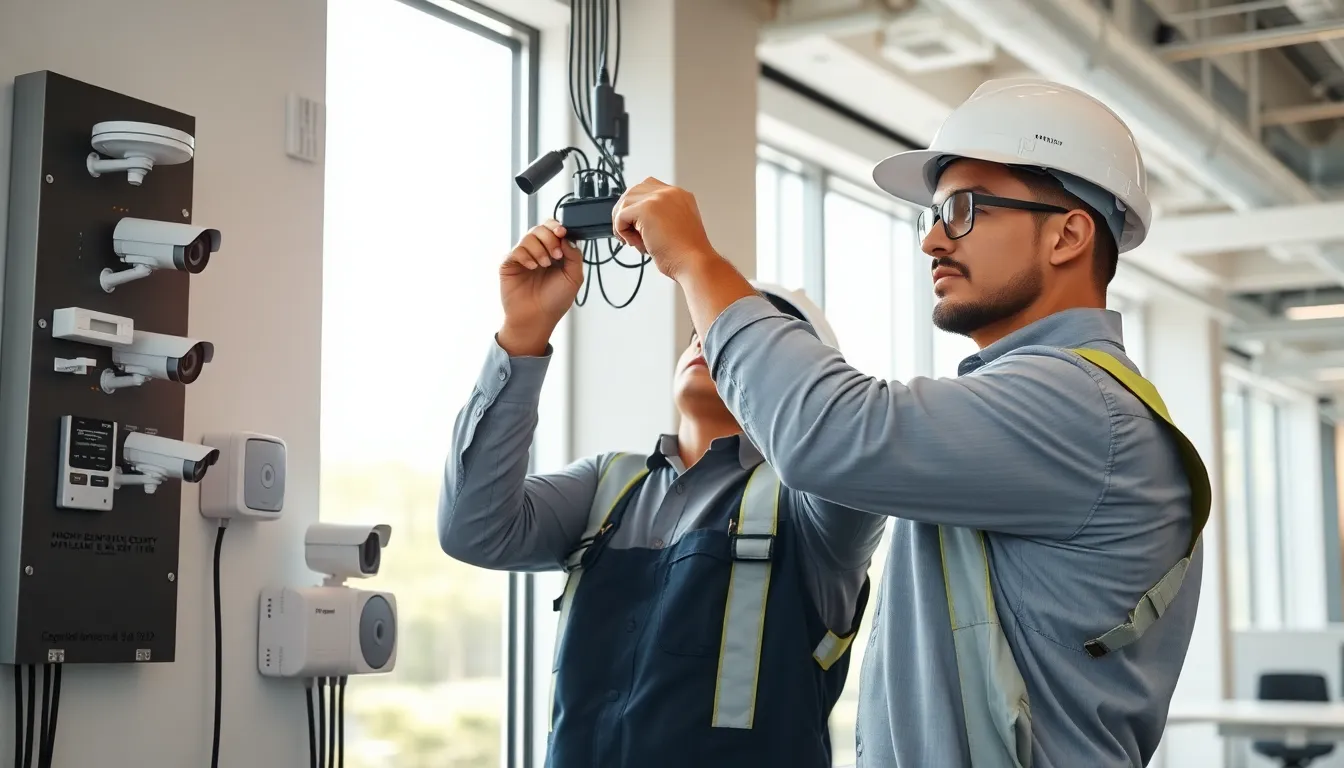
Wired security systems use a network of wires to connect various security components like cameras, alarms, and control panels. Unlike their wireless counterparts, these systems transmit data through physical cabling, typically using coaxial or Ethernet cables. The main appeal stems from their reliability: unlike wireless systems which may suffer from interference, wired systems deliver a consistent, high-quality signal, minimizing the risk of downtime. Many commercial buildings and high-security environments prefer wired systems due to this permanence and stability.
Imagine a robust web of connections, where each node communicates directly with the other. It creates a fortified system, allowing for seamless integration of multiple security features, making them a trusted choice for businesses and homes alike.
Advantages of Wired Security Systems
Wired security systems come with a host of advantages that make them a preferred choice for many. Here’s a rundown of some key benefits:
Reliability
First and foremost, reliability outshines wireless systems. Wired connections are less likely to suffer disruptions from interference, ensuring that your security system stays online when it’s most needed.
Security
Secondly, wired systems offer enhanced security. Hackers may have an easier time infiltrating a wireless system, but the physical nature of wired installations makes unauthorized access significantly more challenging.
Cost-Effective
Also, although the initial installation cost can be higher, wired systems often prove more cost-effective in the long run. They typically require fewer replacements and less maintenance than wireless systems.
Scalability
Finally, expanding a wired security system is a breeze. With simple connections and minimal need for wireless setup, adding new components is straightforward, making it ideal for growing businesses.
Components of Wired Security Systems
The backbone of a wired security system is its various components, each playing a vital role in ensuring optimal performance. Here’s a breakdown of the essential parts:
Control Panel
Serving as the brain of the operation, the control panel manages communication between all connected devices. It is responsible for alerting users of security breaches and controlling system commands.
Security Cameras
Wired cameras can be positioned strategically around a property, providing real-time surveillance footage. With options ranging from those equipped for low light to high-definition cameras capable of capturing fine details, choosing the right type enhances visibility and security.
Sensors
Motion detectors, glass break sensors, and door/window contacts make up the sensor part of a wired security system. These act as the first line of defense, alerting the system to potential intruders.
Alarm System
Alarm systems emit loud noises or send alerts to designated contacts when a breach is detected. Having a reliable alarm in place is crucial for deterring potential intruders.
Installation Process for Wired Security Systems
Installing a wired security system requires planning and precision. Here’s how the process typically unfolds:
Planning
Begin with a thorough assessment of your property. Identify key vulnerable areas where security cameras and sensors will be most effective.
Cabling
Next, reroute necessary cabling throughout the property. This might involve drilling holes and ensuring wires are concealed for aesthetics and protection. It’s essential to ensure cables are weatherproof if they extend outdoors.
Mounting Components
Once the cabling is in place, mount cameras, sensors, and control panels as per your earlier plan. Positioning is critical for optimal performance, so ensure visibility is maximized.
Testing
Finally, it’s time for a comprehensive review. Test each component to ensure it’s functioning correctly. Check the quality of the footage from the cameras and the sensitivity of the sensors before concluding the installation.
Common Use Cases for Wired Security Systems
Wired security systems find applications in various settings. Here’s where they shine:
Commercial Spaces
Large offices and warehouses benefit significantly from wired systems. High foot traffic zones require reliable surveillance that wired systems can provide.
Residential Homes
Many homeowners are opting for wired systems for their reliability and effectiveness. Particularly in suburban areas, where wireless signals might be weak, these systems ensure complete coverage.
Educational Institutions
Schools and universities use wired security systems for monitoring large campuses and ensuring student safety.
Financial Institutions
Banks and credit unions prioritize security, implementing wired systems to protect valuable assets and sensitive information.
Maintenance and Troubleshooting of Wired Security Systems
Routine maintenance and troubleshooting are vital to ensure wired security systems operate at peak efficiency. Follow these key guidelines:
Regular Inspections
Schedule periodic checks to ensure all components are functioning. Look out for wear and tear, especially on cables and connections.
Clean Cameras and Sensors
Keep cameras spotless. Dirty lenses can impair performance significantly, while sensors should remain free from obstructions to operate properly.
Update Software
Ensure to keep the software for your security system updated. Enhanced features and security patches help safeguard against vulnerabilities.
Troubleshooting Tips
If a component fails, consult the user manual for troubleshooting steps. Many common issues can be resolved with a simple reset or re-checking connections.